
Getting Started
Homework
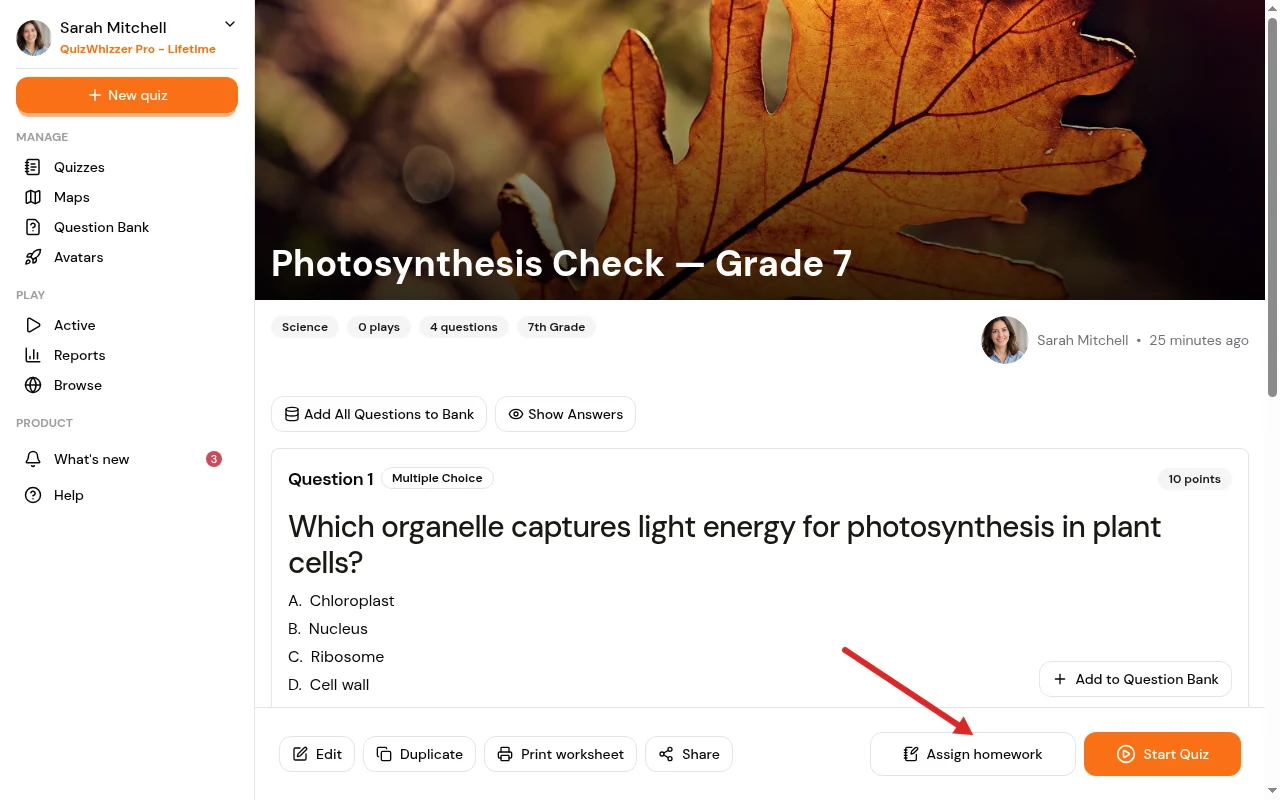
You can assign quizzes as homework. Homework mode will still have the map selection and players will move based on the points they score. It has its own button on the quiz page: click Assign homework rather than Start Quiz, set a due date, and give it a name if you like. The name is what tells three classes doing the same quiz apart, so "7B" or "Period 3" is plenty.
How it works
The points a player scores are what moves them along the map. A question worth more points carries them further, so the player out in front is the one with the highest score, and the winner is whoever finishes on top.
Because the distance comes from the score, a player has to score everything available to reach the last space. Most won't, and that's fine: the map is showing you how much of the quiz they got, not how fast they were.
Between spaces, players see a fuel gauge in the corner of the screen. Points fill it, and when it's full their avatar moves on. On a short map each space costs more points, so it can take a few questions before anyone moves.
Differences from a live game
- You choose nothing about movement. There's no spaces-forward setting, because the points already decide it.
- No powerups and no random movement. Nothing can put a player somewhere their score doesn't justify. Jump spaces on the map (e.g. on the snakes and ladders map) are ignored here for the same reason.
- Players start whenever they like. You don't have to wait for anyone before starting the game, and players who join late aren't behind.
- The timer works per player. The adjustable game timer belongs to a live game, where everyone shares one screen. Here you set a time limit when you launch, and each player's clock starts when they join. A time penalty for a wrong answer only costs a player anything if you've set that limit.
Homework keeps running after you log out. The Homework tab on your Active Games page lists everything you have set, with the due date, the join code and how many players have joined and finished. Open one from there to see individual progress, or stop it early.
Assign homework the same way every week? Save it as a preset so the next one is one click.
Want to remove competition and just focus on assessment? Try out the assessment mode option.