Question Types
Drag and Drop into Text
1 min readUpdated October 2, 2024
You can use the drag and drop into text when you have a piece of text and you want to do a fill in the blank type of activity but with pre-chosen words or phrases.
Check out the example for how to write these questions:
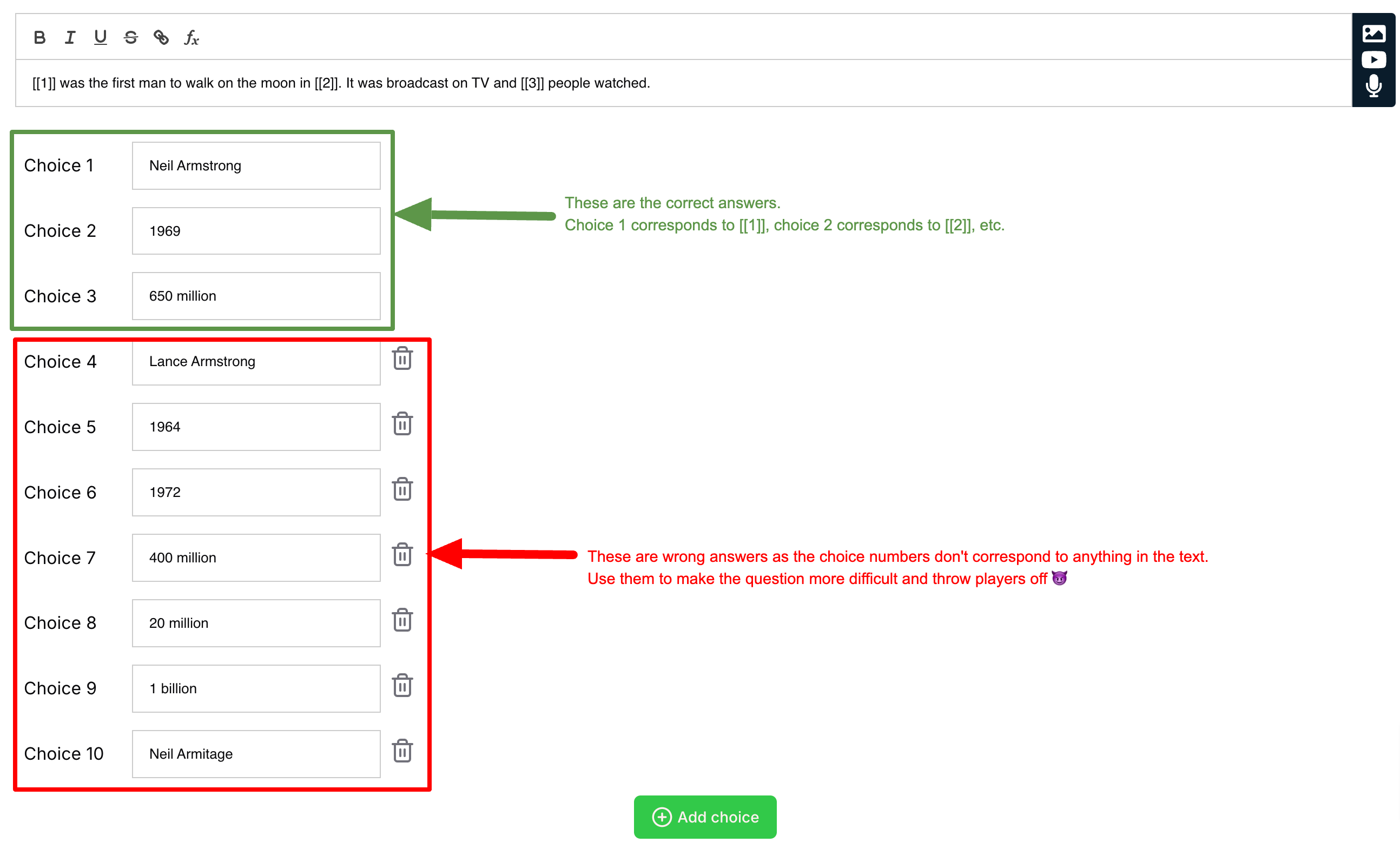
The syntax is two opening square brackets followed by a number (which is the choice number) and then two closing square brackets - example: [[1]] would correspond to the first answer choice - meaning the first input in your list labelled “Choice 1” would be the answer for that blank.
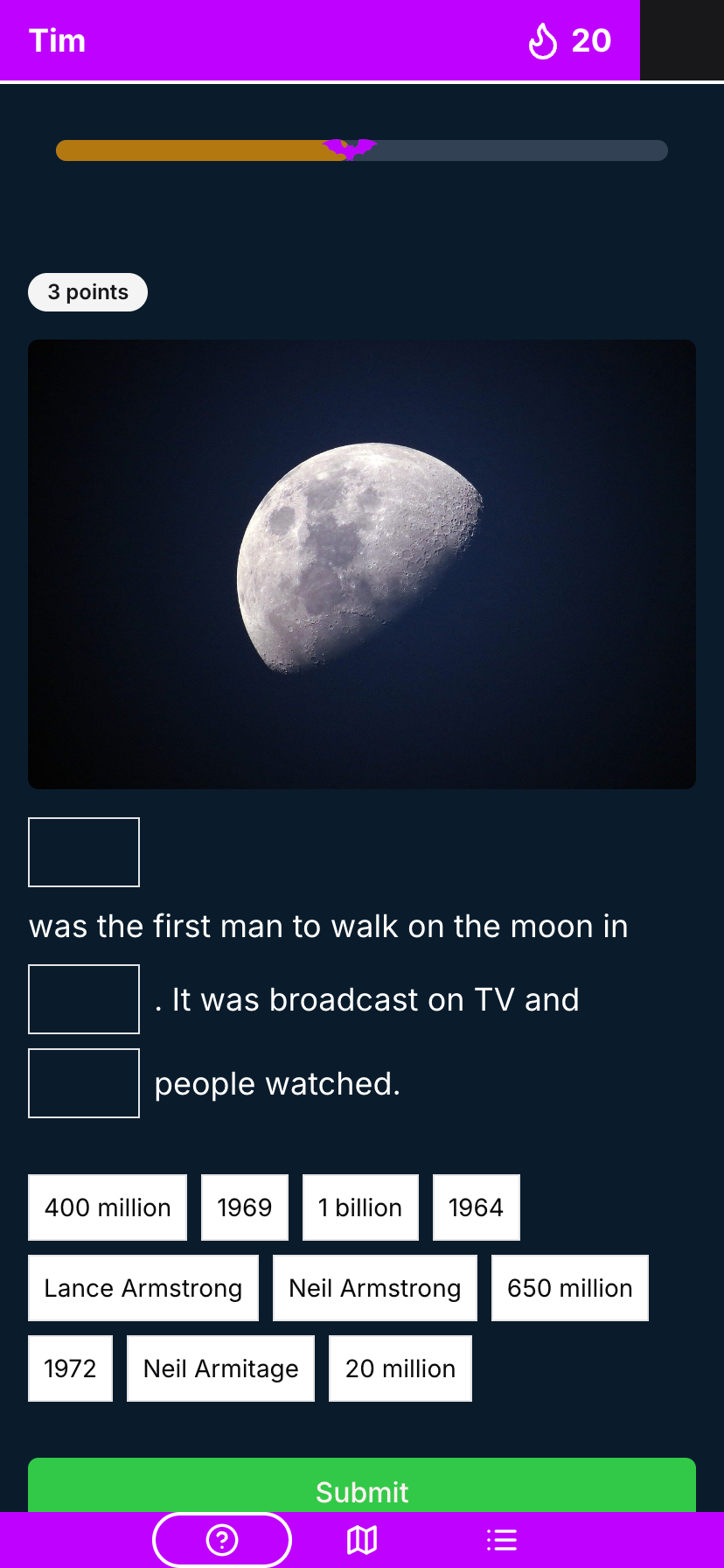
Here's what it looks like for the player: