
Features
Generate questions with AI
Short on time, or stuck for ideas? AI can draft a batch of questions for you to review. You stay in control: it suggests a set, you pick which ones to keep.
Where to find it
After you create a quiz, the empty question editor shows a Generate with AI button alongside the other ways to add questions.
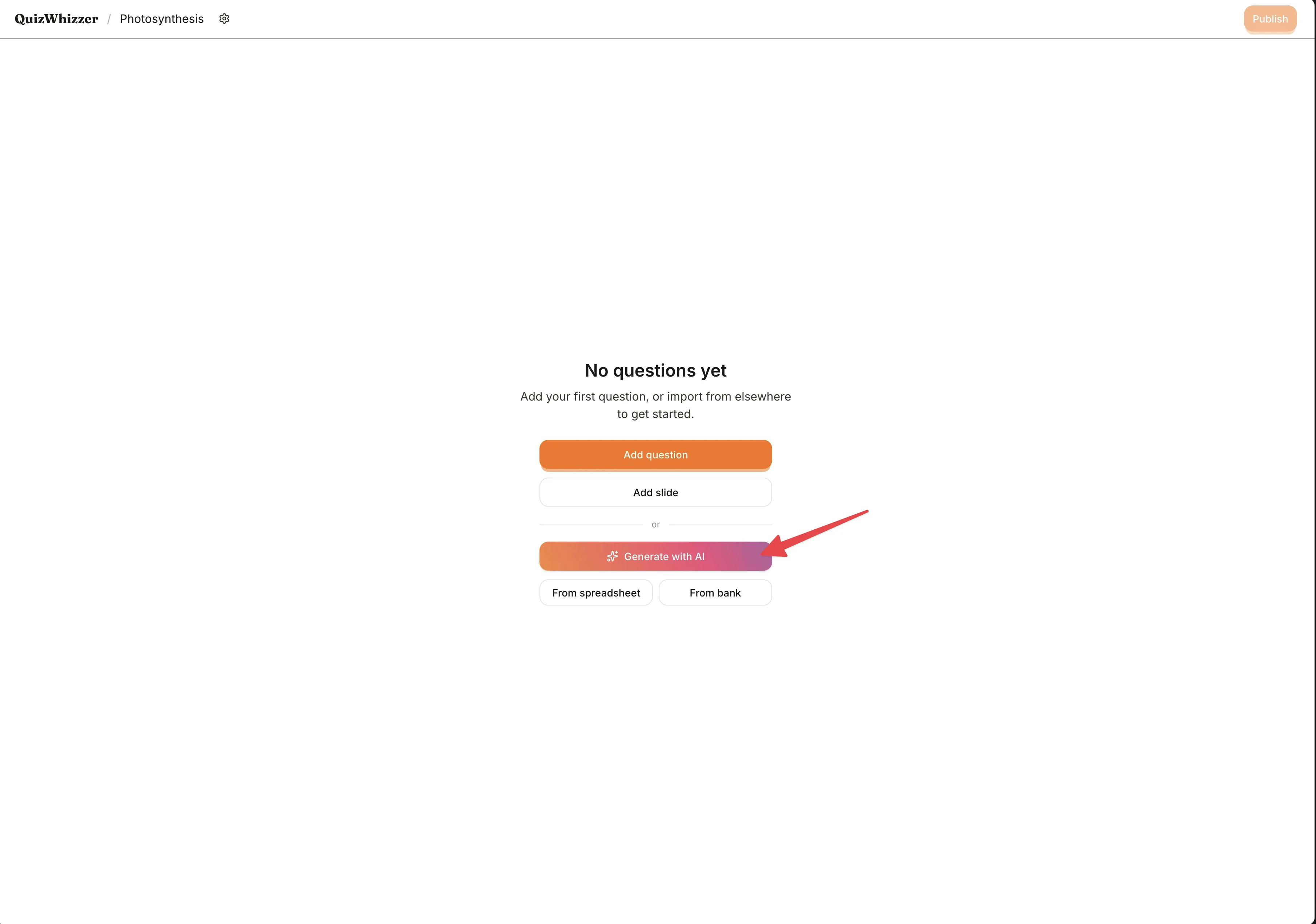

Already have questions in your quiz? Open the Import icon button at the top of the question pane and pick Generate with AI from there.
Filling out the form
Click Generate with AI and a dialogue opens with three fields:
- Topic: What the questions should be about. We prefill this with your quiz title, but feel free to refine it. The more specific you are, the better the questions ("Photosynthesis in C4 plants" beats "Biology").
- Number of questions: Anywhere from 3 to 20. Start small if you're not sure.
- Difficulty: Mixed, easy, medium, or hard. "Mixed" gives you a spread.
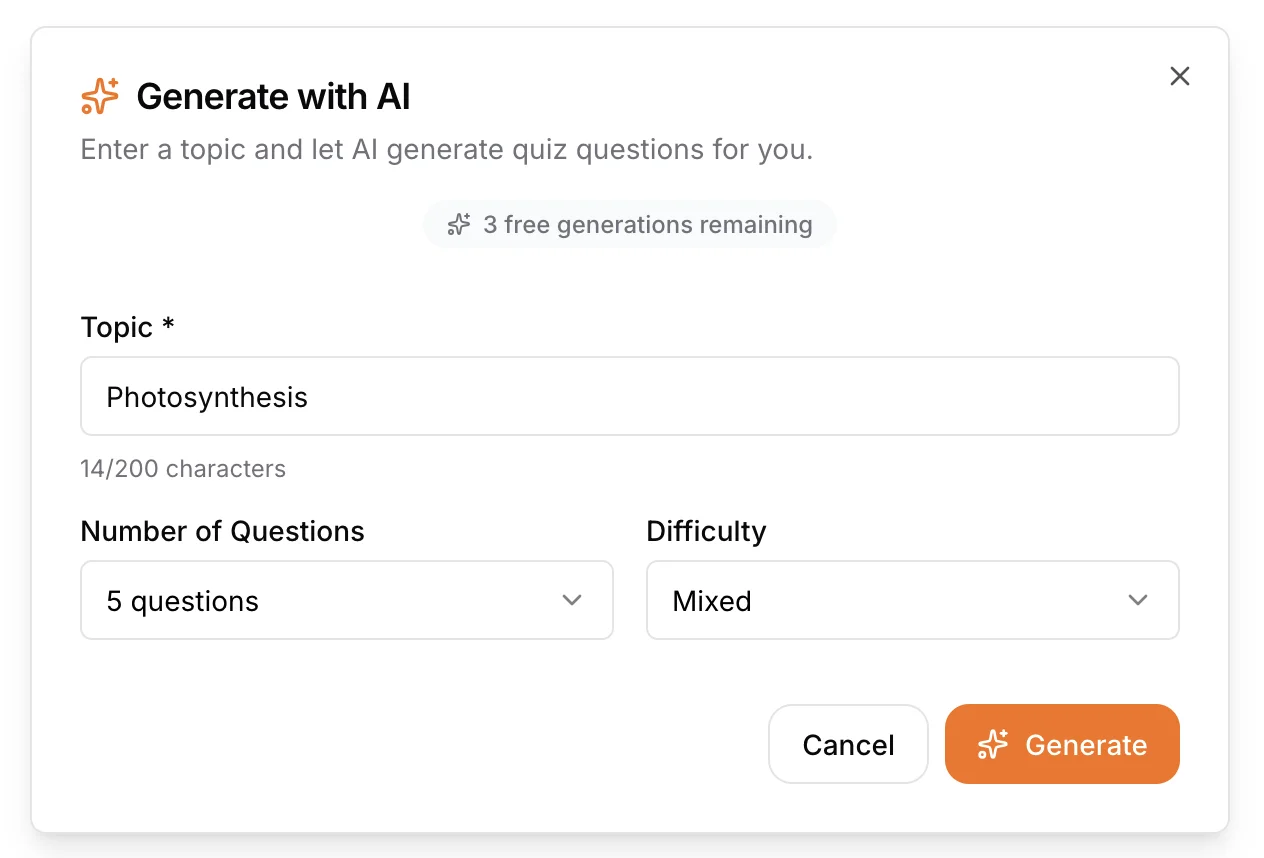
Click Generate and give it a few seconds.
Reviewing the results
You'll see the generated questions in a preview screen with a tickbox next to each one. By default they're all selected. Untick any you don't want to keep.
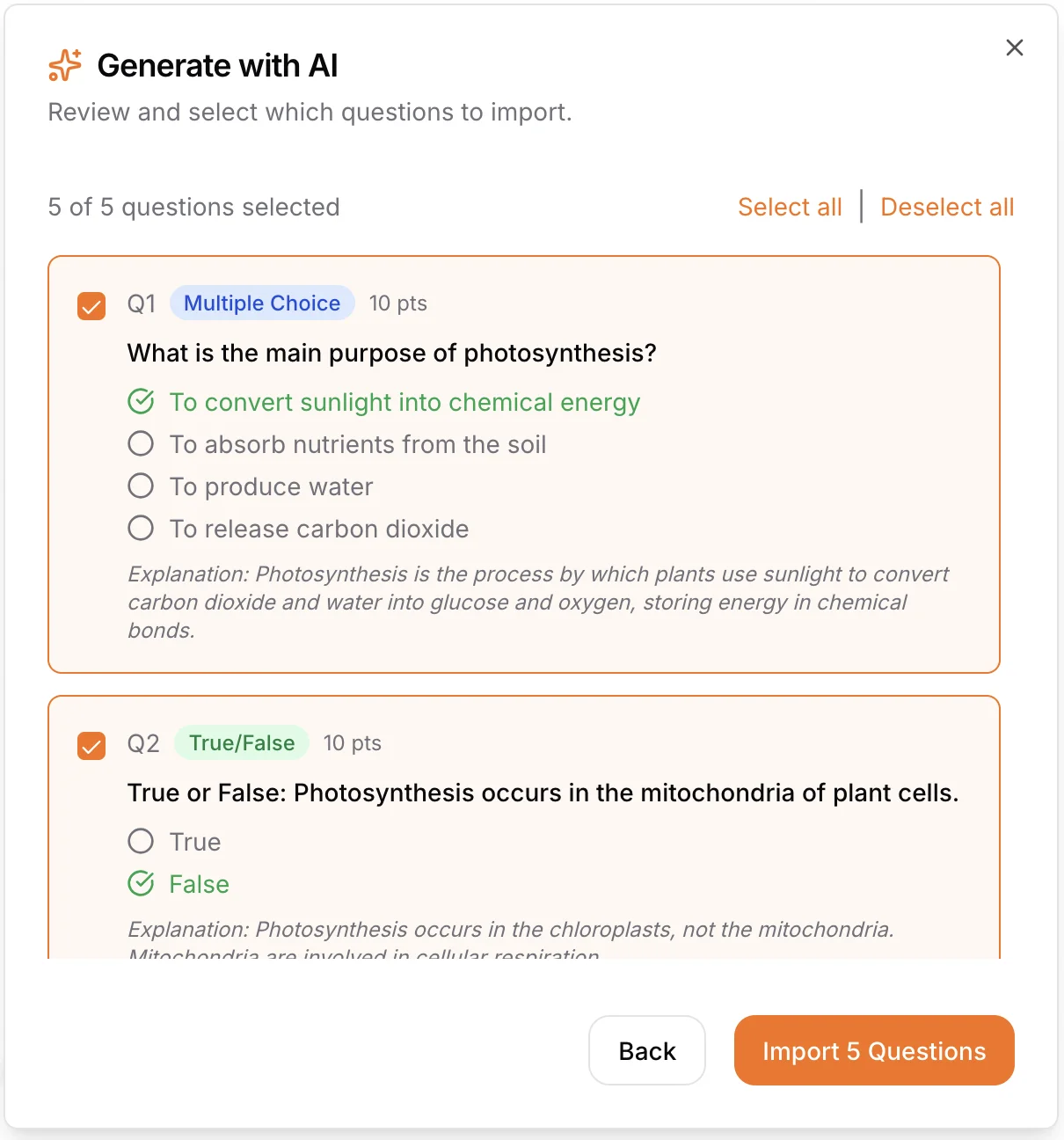
When you're happy, click Import and the selected questions are added to your quiz. You can edit them like any other question afterwards, the AI is a starting point, not the final word.
Import from PDF
The empty question editor also shows a From PDF button. Upload an exam paper or worksheet and the AI extracts the questions. If the document includes a mark scheme, the answers are filled in for you.
You can also upload informational content such as notes, a textbook chapter, or slides. The AI reads the content and generates quiz questions grounded in it.
For PDFs longer than 20 pages, you choose a section of up to 20 pages (like a single chapter) to use. The pages you choose must come to less than 30MB.
Free vs Pro
Free plan gets 3 free topic generations, then you'll be prompted to upgrade.
Pro and group plans get unlimited AI topic generation. Importing a quiz from a PDF is also a Pro feature.
See pricing for details.
Treat the AI output as a draft. Read through each question, fix the wording, and double-check the marked answer. AI is a great speed-up, but it isn't infallible.