Billing
How to change payment method
1 min readUpdated January 3, 2024
You can easily change your payment method from your billing page. Here’s how:
-
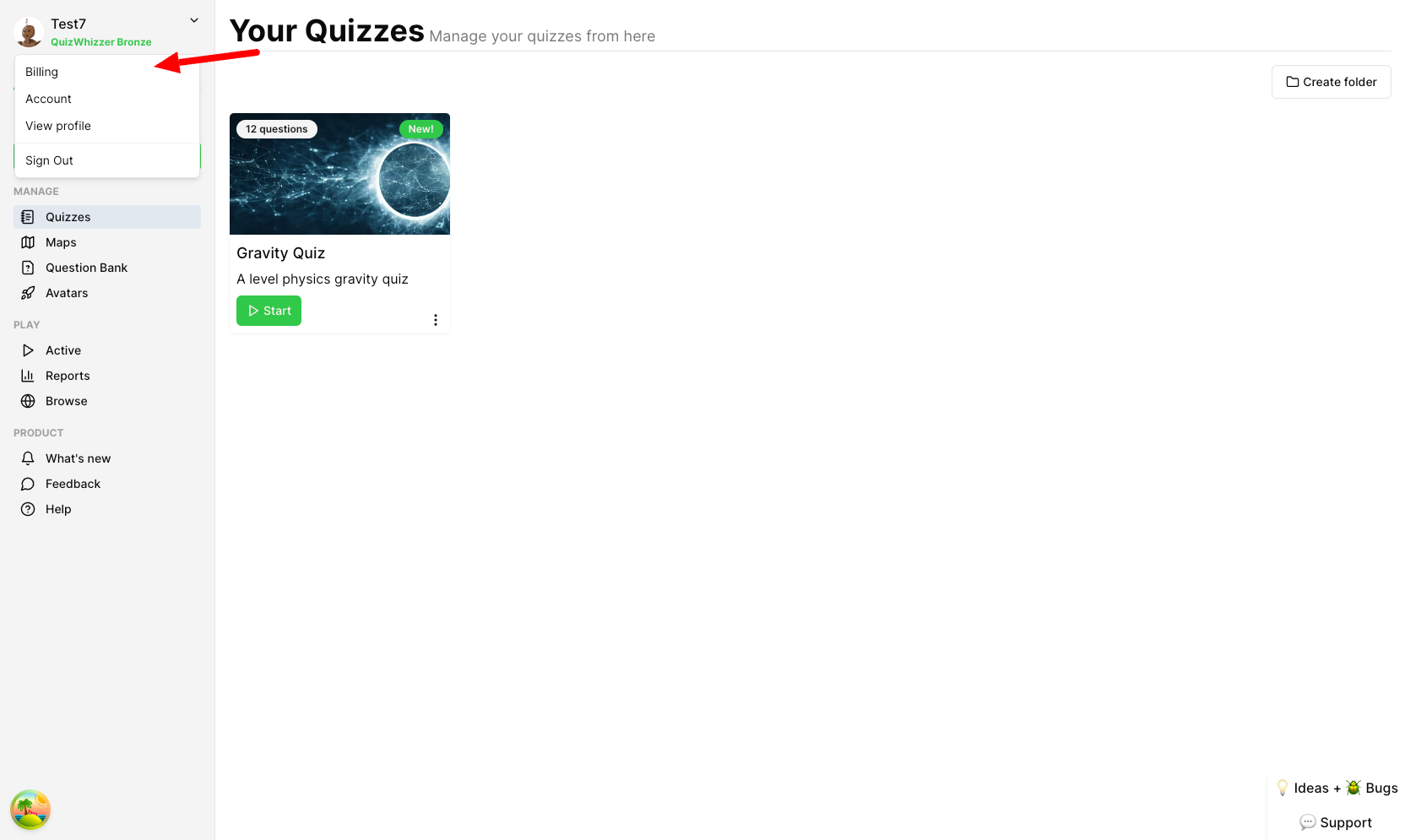
Click the profile icon at the top right, then Billing:
-
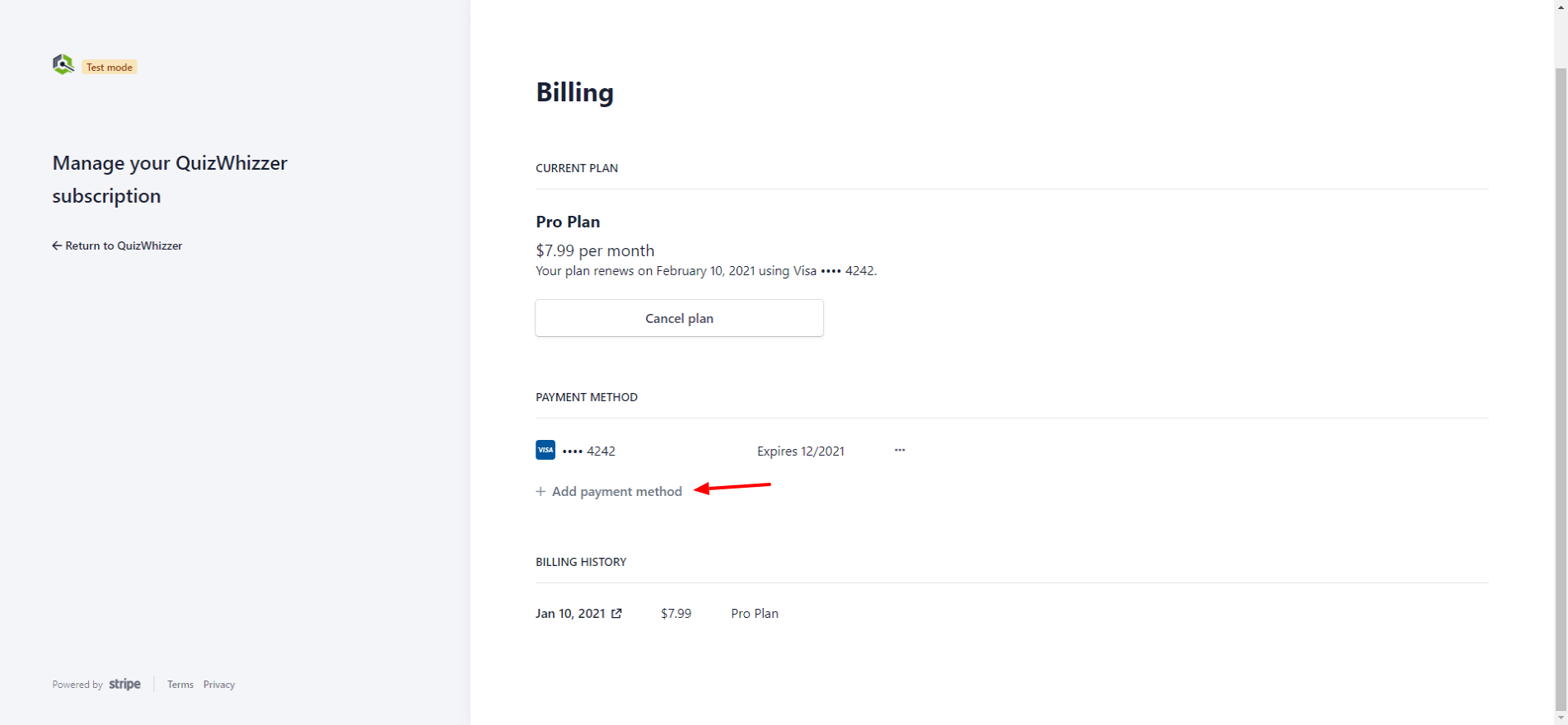
You will now be brought to your billing page where you can manage your subscription, including adding new payment methods. Under Payment Method select + Add payment method
-
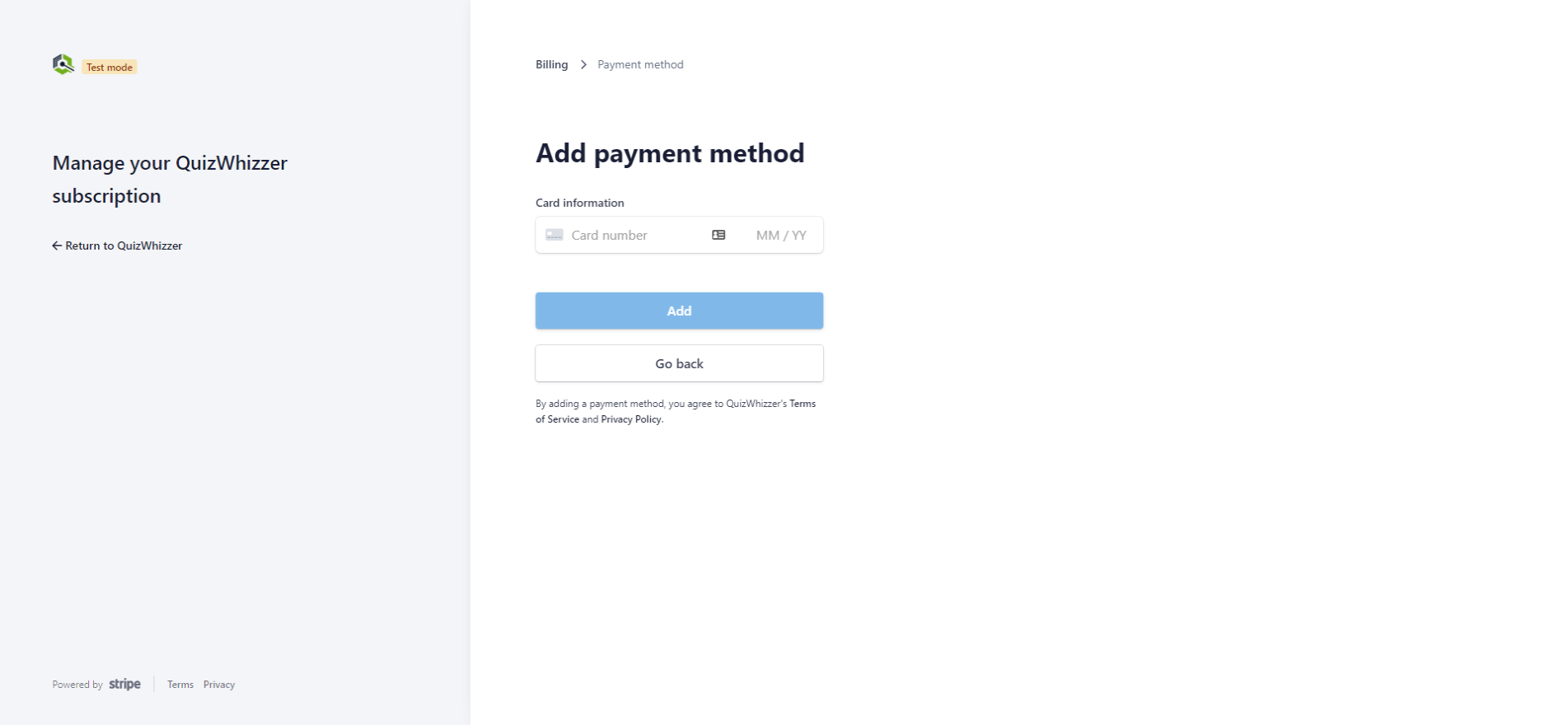
You will then be able to input your new card details:
-
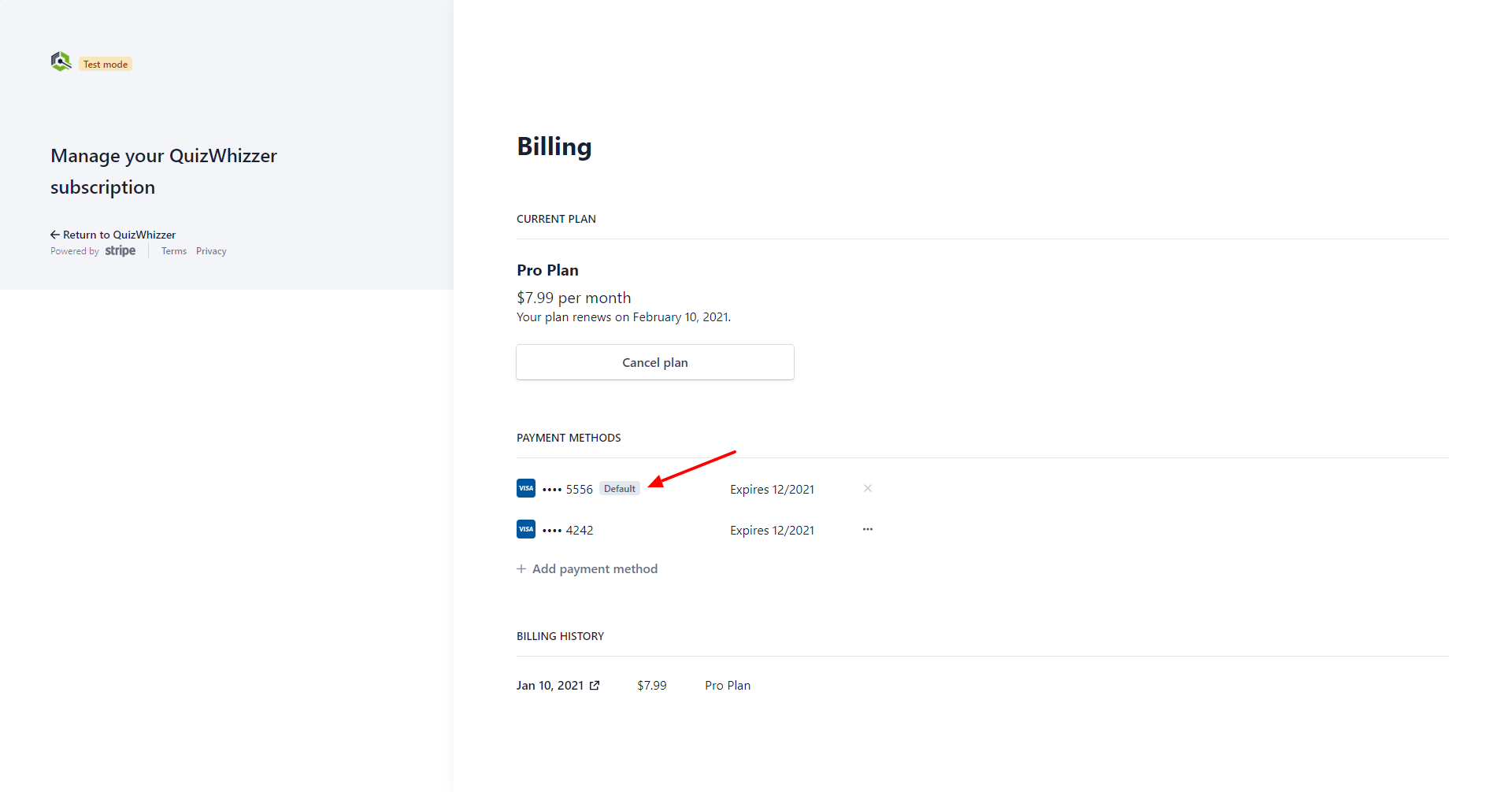
Your new card will now be shown under payment methods and be marked as default to show it will be the default card used for new charges. You can delete cards and change which is default by clicking the three dots.